Google introduced the new Google Maps at Google I/O this week. Along with a brand new shiny look it has added Earth mode (see 2:11 in video) which is a lite version of Google Earth minus the Google Earth plugin. This will run in all modern browsers and no extra software will have to be installed; I also expect more features will be added to the web app with time. For us Chromebook users, this is a must needed feature. As I have told many of future Chromebookers, cloud enthusiasts, and techies the only major thing that Chromebooks were missing was Google Earth. Here's hoping that my invite to the new Google Maps arrives soon!
Sunday 19 May 2013
The New Google Maps
Google introduced the new Google Maps at Google I/O this week. Along with a brand new shiny look it has added Earth mode (see 2:11 in video) which is a lite version of Google Earth minus the Google Earth plugin. This will run in all modern browsers and no extra software will have to be installed; I also expect more features will be added to the web app with time. For us Chromebook users, this is a must needed feature. As I have told many of future Chromebookers, cloud enthusiasts, and techies the only major thing that Chromebooks were missing was Google Earth. Here's hoping that my invite to the new Google Maps arrives soon!


Sunday 10 February 2013
Life With Google TV: Canadian and No Cable subscription edition
Kijiji how I love you; you gave me a $230 Sony Google TV Box (NSZGS7) for $130, unopened (it was a credit card reward for a retired teacher). I had read some good reviews about the device, and since I love Google products, it was an easy decision. The Apple TV Box was somewhat attractive, but the killer missing item is the browser, especially since all TV channel websites have video but not all have apps.
Initial setup was extremely easy, it took less than 10 minutes including spending 5 minutes trying and successfully pairing it with my Samsung 32" TV. Within 30 minutes I was extremely comfortable with the system including the remote...both sides of it.
In order to keep things short, below are some highlights of the Sony Google TV Box; Canadian Edition:
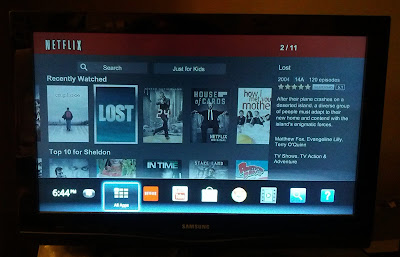
The Google TV Experience (the really bad ending to Lost is getting closer!!)
Initial setup was extremely easy, it took less than 10 minutes including spending 5 minutes trying and successfully pairing it with my Samsung 32" TV. Within 30 minutes I was extremely comfortable with the system including the remote...both sides of it.
In order to keep things short, below are some highlights of the Sony Google TV Box; Canadian Edition:
- Hardware: Not sure what the processor or RAM is, but it handles everything well with no hesitation (remember, the spec is dead). There is HDMI input/output ports, 8 GB of internal storage (about 4 GB free for apps) 2 USB ports (which I haven't used yet), optical audio output, and an Ethernet connection. The remote is well designed, possibly a bit too big since I find it a bit clumsy and I have somewhat large hands. The 2.7" clickable touchpad (touch to click also available) works fine and has edge scrolling for horizontal and vertical webpage movement, and the QWERTY keyboard which is also backlit gets the job done; occasionally the remote is unresponsive. Battery usage seems average, the include batteries are working fine and I have used the remote a lot.

The Remote: Maybe a bit large, QWERTY keyboard on the back. - Apps: There is nowhere near the selection of apps available as for an Android phone or tablet and most of the apps are pretty-much useless. Google itself has a very poor selection; there is no Google Earth, Maps, Google Plus, and so on. There are some nice streaming TV apps available, one of my favorites is TV Portal which provides a huge list of shows with appropriate links for streaming in a very nice interface. Movies are available for rent/purchase, TV shows still haven't arrived to the Great White North. Sony Video and music unlimited come pre-installed and I haven't used either yet.
- Chrome Browser: For some reason, Google TV uses version 11 of Chrome, current desktop versions are at 25!! It gets the job done, has Bookmark sync, and it has Flash Version 10 (this was a deal-breaker for me). Every website except for CityTV has allowed me to stream video, although some playback issues has been experienced with the CTV site. Chrome runs within Android 3.2, which, like the browser, gets the job done.
- Updates: This is not a Nexus device, so I wasn't expecting many updates. I received one when the system was turned on, none since. I am expecting the next will be sometime after Google I/O 2013.


The overall experience with the Sony Google TV Internet Box has been great. Prior to this I relied on my Chromebook connected via VGA to my TV, this was fine but lacked the HDMI experience and the "lying back on the couch channel surfing" experience. The box has become part of my routine; I turn it on before I eat breakfast to watch the CBC National, stream some Netflix during the evening, and explore the great unknown of TV Portal at night. When all of this gets boring, I can surf the web via the Chrome browser to update G+ and Facebook statuses, check to see when the latest snowstorm will hit Newfoundland, and look at beautiful pictues of puddy tats. If you are a user like me, one that lives on the web and dislikes Big Cable, the Sony Google TV box is highly recommended.
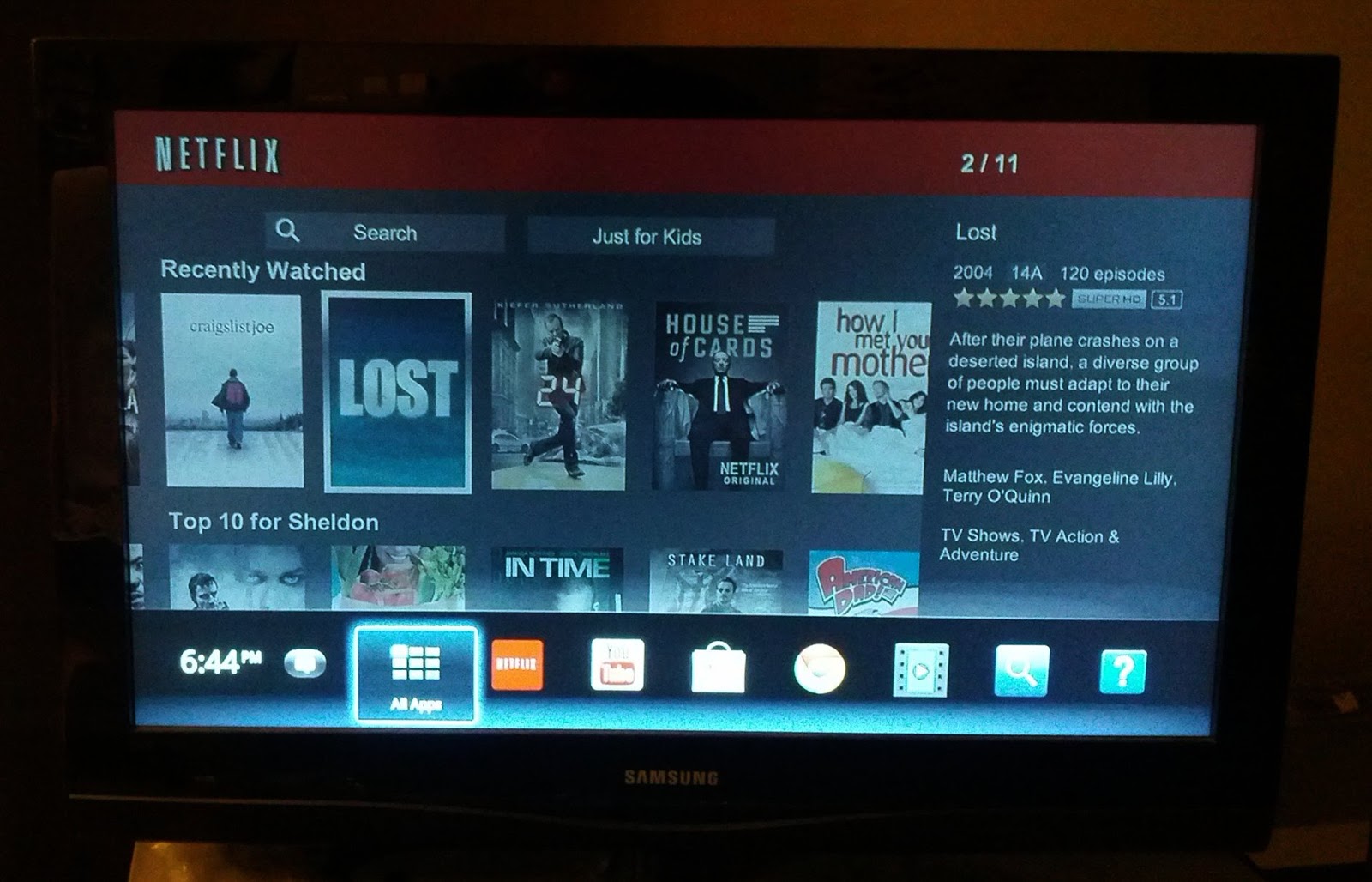
The Google TV Experience (the really bad ending to Lost is getting closer!!)
Tuesday 11 September 2012
Codecademy: Learning Code in the Cloud
I have dabbled with coding before; I am OK with HTML, mediocre with CSS, and horrible with Javascript. All of this will hopefully change as I work through totally online and free courses through Codecademy.

If you have time and want to learn code, check out Codecademy. Its simple, free, and totally done in the cloud.

Learning in Codecademy is done via basic instructions and an online editor
Besides those mentioned above, courses on jquery and python are also available; there are also lessons built around applying this newfound knowledge, and both courses and applied lessons are continually added. The UI works is very visually pleasing, and has worked 100% of the time during my sessions.
Sunday 9 September 2012
A Simpler Life: Chromebook Edition
I recently came across this post on Lifehacker titled "10 Simple Things Every Computer User Should Know How To Do," and I realized that life with a Chromebook is so much simpler. Here are the things from the list (and their respective numbers) that Chromebook users don't have to do:
#10: Set Up a Dead Simple Backup System: 99% of Chromebook user's is stored in the cloud, we simply let Google take care of things.
#8: Protect Yourself From Viruses: Chrome = Virus free. No worries when you are surfing those free-TV streaming sites.
#5: Access Your Home Computer From Anywhere: Again, we store most of our data in the cloud, as long as we are connected we have our files.
#4: Keep Your Computer in Tip Top Shape with Regular Maintenance: Chromebooks are constantly updated and termed the "always new" computer. I am on the Beta channel and receive updates weekly, free of charge. I own both generations of the Samsung Series 5, and both have actually gotten faster with time.
#3: Instantly Share a File Between Two Computers: All we have to do with a file is hit "share" and type in the address; simple!
These are five somewhat time consuming tasks that us Chromebook users don't have to do. We let the big G take care of everything and enjoy a much simpler computing life.
#10: Set Up a Dead Simple Backup System: 99% of Chromebook user's is stored in the cloud, we simply let Google take care of things.
#8: Protect Yourself From Viruses: Chrome = Virus free. No worries when you are surfing those free-TV streaming sites.
#5: Access Your Home Computer From Anywhere: Again, we store most of our data in the cloud, as long as we are connected we have our files.
#4: Keep Your Computer in Tip Top Shape with Regular Maintenance: Chromebooks are constantly updated and termed the "always new" computer. I am on the Beta channel and receive updates weekly, free of charge. I own both generations of the Samsung Series 5, and both have actually gotten faster with time.
#3: Instantly Share a File Between Two Computers: All we have to do with a file is hit "share" and type in the address; simple!
These are five somewhat time consuming tasks that us Chromebook users don't have to do. We let the big G take care of everything and enjoy a much simpler computing life.
Sunday 1 April 2012
Chromebook: Future of the Enterprise and Education Realms

My Chromebook is currently on the beta channel and receives updates about every 2 weeks; this consists of clicking on "the wrench," waiting for the update to download, and then restarting, this last step takes less than 10 seconds. Overall it is a very simple and quick experience which can be easily applied to the enterprise/education realm.
At a stark contrast to this are the enterprise and education models using traditional Windows PCs (I am not sure about the Mac updating process). Usually some kind of imaging program is used, which is much more complicated than it should be, and quite often crashes during the updating process. People get frustrated, they don't have hours to waste on updating computers, this results in computers not being updated and creating statistics like this; ~25% of IE users are using IE 6 or 7! IE6 was released in 2001!
With the Chromebook model, everyone can easily have the latest and greatest browser version with ease. Say goodbye to the 11 year old operating systems and browsers.
Saturday 25 February 2012
The Death of Point-and-Shoots

Why do I love the camera so much? Even though it is only 5 MP, it takes good photos and avoids a lot of the hassle with point-and-shoots:
- Geotagging: As long as the my phone's gps is turned on, photos are automatically geotagged, and the accuracy is pretty good. With the point-and-shoot, I have to manually add the gps information with software that often crashes.
- Uploading: Android allows easy uploading to major photo sharing sites. I am a diehard Picassa web album user, to upload I simply select the photos and the album to upload to. For the point-and-shoot, I have to transfer them to my computer via a usb cable, then upload them to Picasa web albums. I hate having to deal with wires.
- One Less Device: Back in the day I rocked a dumbphone and iPod Touch. Like a lot of people I have ditched the iPod Touch and dumbphone, and use just the smartphone. Using the smartphone as my primary camera is another step in the direction of using just one device. Before the smartphone age, people would whip out their point-and-shoot to grab a photo, take out the dumbphone to make a call; now they simply whip out their smartphone. Flickr numbers provide evidence for this, the iPhone is the most popular camera used (and yes, I admit that the iPhone does have a great camera) and I suspect other phones are playing catch-up.
Photographers out there will never move in this direction, and most probably don't use a point-and-shoot, they will stick with their SLR or DSR or whatever it is called. The average user is ditching their point and shoot for their smartphone and I expect the rate of this will increase. Instead of users upgrading their camera, they will upgrade their phone (8 MP cameras and higher are very common in smarthphones these days). I know I will be doing this come October.
Finally, here is the same beautiful Newfoundland scene taken with my Sony point-and-shoot and my Nexus S, I am not sure which device took which photo, for me and the average user it doesn't matter.
Finally, here is the same beautiful Newfoundland scene taken with my Sony point-and-shoot and my Nexus S, I am not sure which device took which photo, for me and the average user it doesn't matter.


Tuesday 6 December 2011
Pure Android: The Way It Must Be

To be fair, the HTC sense overlay was nice, but the problem is that it took up a lot of the system resources, especially the Desire's precious internal memory, and this led to issues such as system slowdown and apps not opening. So far on my Nexus S I have all of my previous apps plus more loaded, and there has been no slowdown. The battery life is great (it lasts twice as long as the Desire), the overall look and feel is much simplier which makes finding things easier, and I am a big fan of the launcher. Finally, the camera is fantastic! Over the holidays I took most of my photos with the Nexus S, my point and shoot sat silent in my backpack.

December in NL, captured with my Nexus S (unedited)
If you have the money and want to experience Android the way it's meant to be, get a phone with just Android and none of that crapware/bloatware. Its the only way to go.
Subscribe to:
Posts (Atom)
