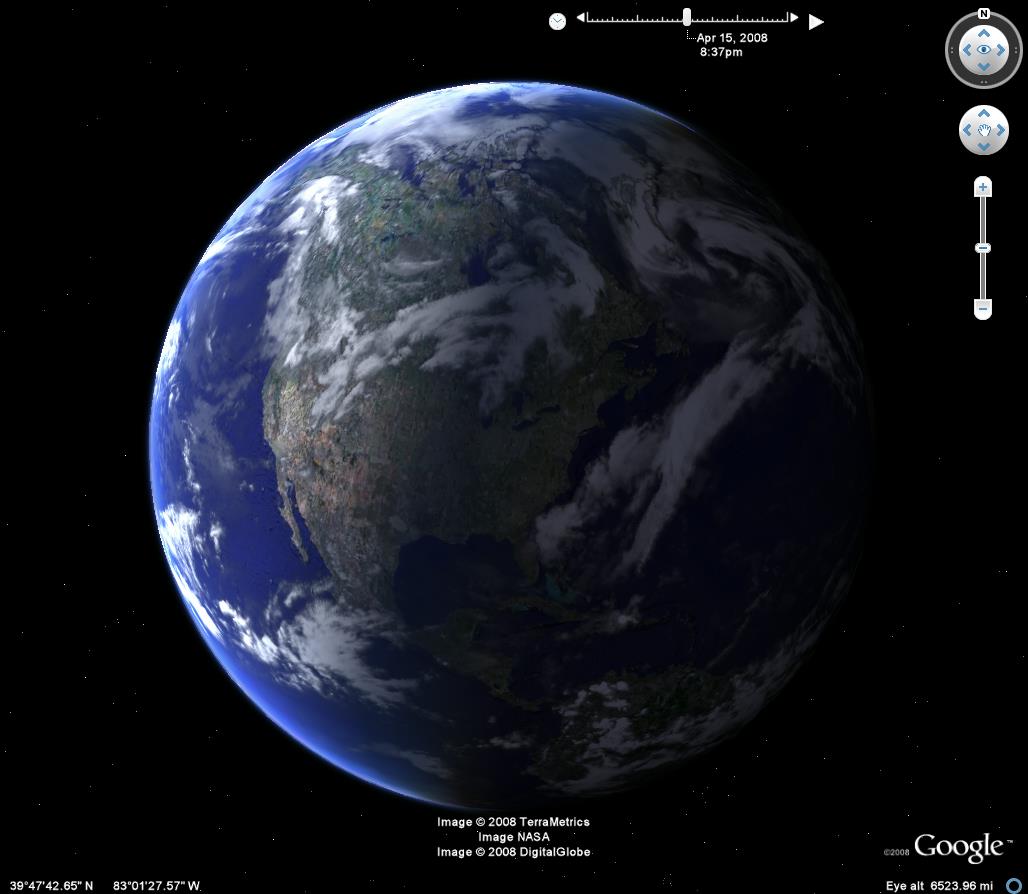
- New navigation controls, but I sort of liked the older one better
- More 3-D buildings
- Watch the sun
- Street View
- High Res photos are dated, which was greatly needed
Friday, 20 June 2008
Google Earth
Canadian Bill C-61
Check out the video below about the debate between the NDP and finance minister Jim Prentice, also listen to this audio file, all I'm going to say is that I'm not a fan of the Harper government.
The Debate!!
The Debate!!
Thursday, 19 June 2008
Google Maps for Mobile
Check out this video of the Google Maps for Mobile, this was a recent winner for a contest at the See into S60 blog, enjoy.
And the The winner is...
New Yahoo Mail....Who Cares!!
Yahoo announced today that they are offering two new domain names, ymail and rocketmail. Currently they have 266 million users, followed by Microsoft at 264 million, and Gmail at ~100 million, but Gmail is growing at a faster rate. I didn't know until I read the Tech Observer blog that rocketmail was the first free email, I guess its kind of cool that they are reviving it. Anyways, I find Gmail much more user friendly and advanced compared to yahoo mail (which doesn't allow forwarding of emails to addresses outside of hotmail or live) and hotmail. I really don't think that this move will make much difference to yahoo's current state, there is just no attraction to them nowadays, maybe its the name or logo or the power of Google.
Wednesday, 18 June 2008
Fireox 3.0
Yesterday Mozilla released FireFox 3.0, which I am currently using to write up this blog. In the past I used a previous version (2.something) for most of my web surfing, but I found it rather slow, but faster than Microsoft Internet Explorer which is absolutely brutal. FireFox 3.0 is much faster, and comparable to Apple's Safari which is fast, but often freezes and when terms are typed in the navigation toolbar (i.e., Google webmaster), even though the site has been visited before, the "Safari can't find the server" screen appears, this gets really annoying. According to Mozilla, FireFox 3.0 is 3x faster than its predecessor and 10x faster than Internet explorer 7. FireFox 3.0 was super easy to install, and only a few plugins had to be added. Besides speed, it has a somewhat new look, uses less memory, and has an improved bookmark feature. Something I just discovered is that in Blogger, adding photos is super fast with FireFox 3.0, and unlike Safari, I can alter the dimensions of posted photos. Along with the 7.6 million people that downloaed FireFox in 24 hours, I'm definitely going to be a FireFoxer again!
Monday, 16 June 2008
Page Creator
If you want to easily design a website, Google Page Creator is the answer. I have developed my first webpage with this product and it was super easy to do. Like most Google products, you need a Google account, then you can start creating and adding pages to your site. With a few simple clicks, images, links, and headings can be added along with basic text formatting and bulleted/numbered lists. The webpage can have several different looks, such as 1 column, and there are about 15 different colour/design templates. There are a ton of gadgets that can be added, examples of the ones that I am using are Picasa web album viewer , the periodic table, and a simple fish animation. The Google page creator discussion group is extremely helpful and here is an example. One of the negative things about Google Page Creator is the column width, I wanted to increase it, so I posted the question on the discussion group, and within 1 day an answer was provided that involved producing a css file and adding some provided code, and it worked!! If your wanting to make a simple, yet sexy website, you should check out Google page Creator.


Snapsot of Google page Creator Editor
I like igoogle
Are you in need of a personalized homepage? If you are, then you should check out igoogle. This basically adds gadgets to your webpage for stuff ranging from facebook status updates to baseball scores. The gadgets that I am currently using are:
- Google Talk: Allows chatting within the homepage
- My Facebook: Basically facebook in a box. Status updates, photos (delayed), profile, and most of the facebook goodies can be viewed here.
- Gmail: Inbox can be viewed.
- Google News/Technology: Feed of top headlines in the world news and technology sections of google news.
- Hotmail: Yes, I am ashamed to have a hotmail account, but I've had it for years and random old friends email me here. I can view hotmail messages with this gadget.
- Google Calendar: I can view all of my events plus I can use quickadd to add an event.
- Google Map Search: Self Explanatory
- ESPN NHL Scoreboard: Scores of NHL games are frequently updated (no hockey until October :(
- MLB Scoreboard: Similar to NHL Scoreboard.
- Google Docs: Lists most recently edited docs.
There are many more gadgets available. Also, the theme (header) of the webpage can be changed and tabs can be used to organize gadgets. What I love about this program is it's timesaving ability. Instead of searching a series of webpages, I can quickly see them on one personalized homepage on any computer or mobile phone. Google you have done it again!
Subscribe to:
Posts (Atom)